Books of Accounts
The BIR books are i-net reports run from Odoo. They read the posted journal entries directly, so they are always current; nothing has to be closed or exported first.
All of them are under Accounting → Reporting → KVB Accounting Reports → BIR Books & Documents (visible to the KVB Accounting superuser group).
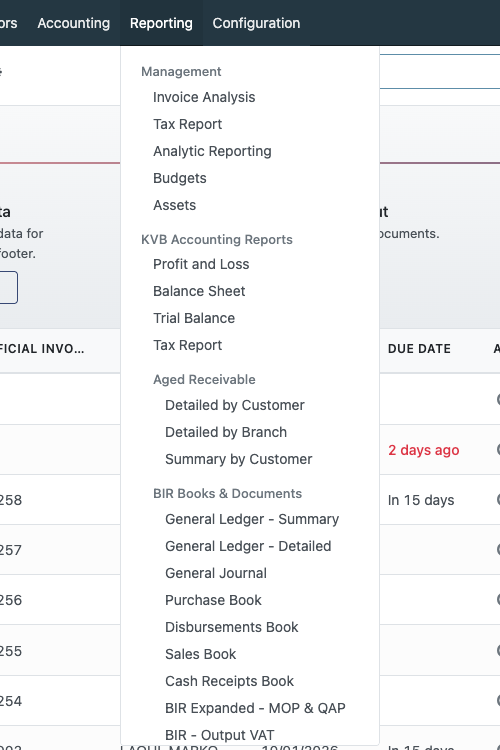
| Report | What it is |
|---|---|
| General Ledger - Summary | One line per account: opening balance, debits, credits, ending balance |
| General Ledger - Detailed | Every posted line per account, with opening, running and ending balances |
| General Journal | Entries in the Miscellaneous Operations journal only |
| Disbursements Book | Cash Disbursements Book: whole entries where a bank or cash account is credited (money out) |
| Cash Receipts Book | Whole entries where a bank or cash account is debited (money in), grouped by branch |
The Purchase Book, Sales Book, BIR Expanded - MOP & QAP, BIR - Output VAT and BIR Income Tax - SAWT are in the same menu.
Running a report
Pick the report from the menu. A dialog asks for the period:
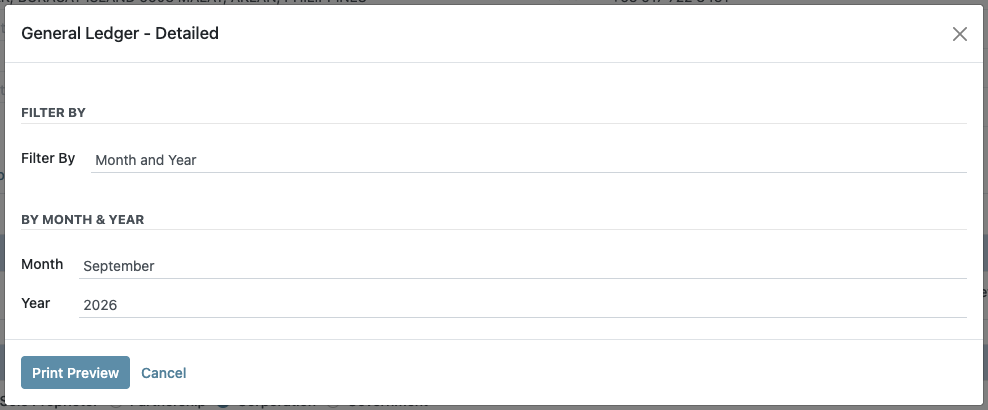
| Filter By | Then pick |
|---|---|
| Date Range | From and To dates |
| Month and Year | A month and a year |
| Quarter and Year | Q1–Q4 and a year |
Click Print Preview. The report opens in the i-net viewer, where it can be printed or exported. It covers posted entries of the current company only.
A full year of the Detailed ledger runs (2025 is about 13,000 pages and takes a minute), but for day-to-day review a month or a quarter is more practical.
General Ledger
How the balances work
- Opening balance = everything posted before the From date.
- Income and expense accounts start again at zero on 01/01 of each year (the fiscal year ends 12/31). Earlier years' income and expense are carried in Undistributed Profits/Losses, the same way Odoo does it.
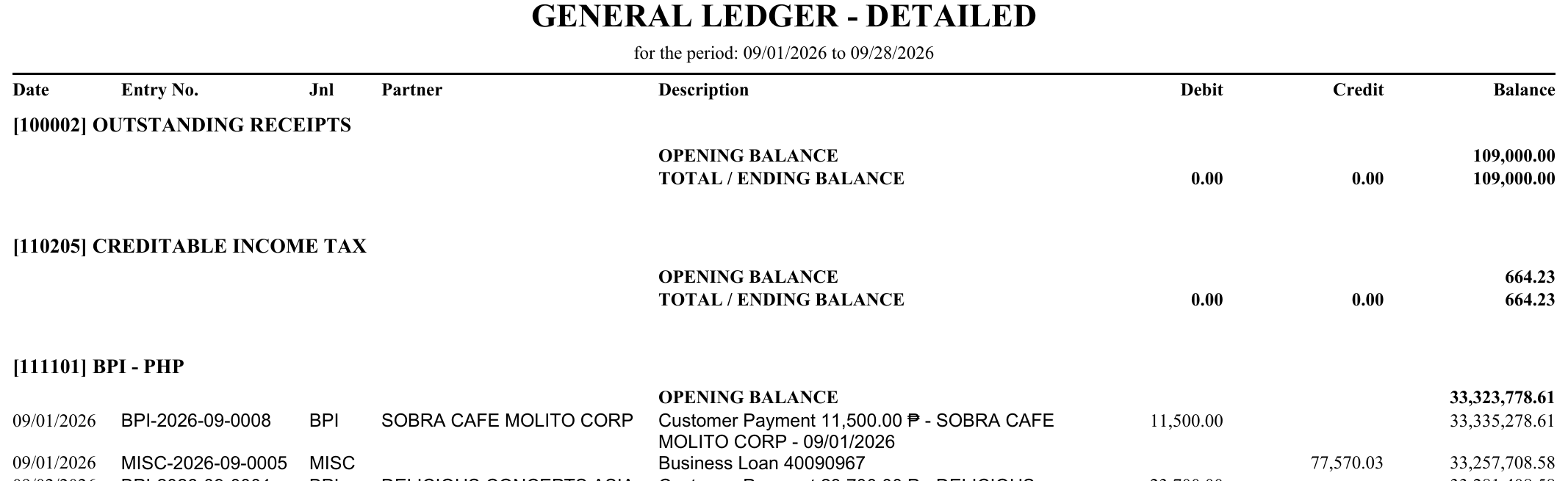
- Running balance = opening balance plus each line's debit minus credit, in date order.
- Ending balance = opening balance + debits − credits for the period.
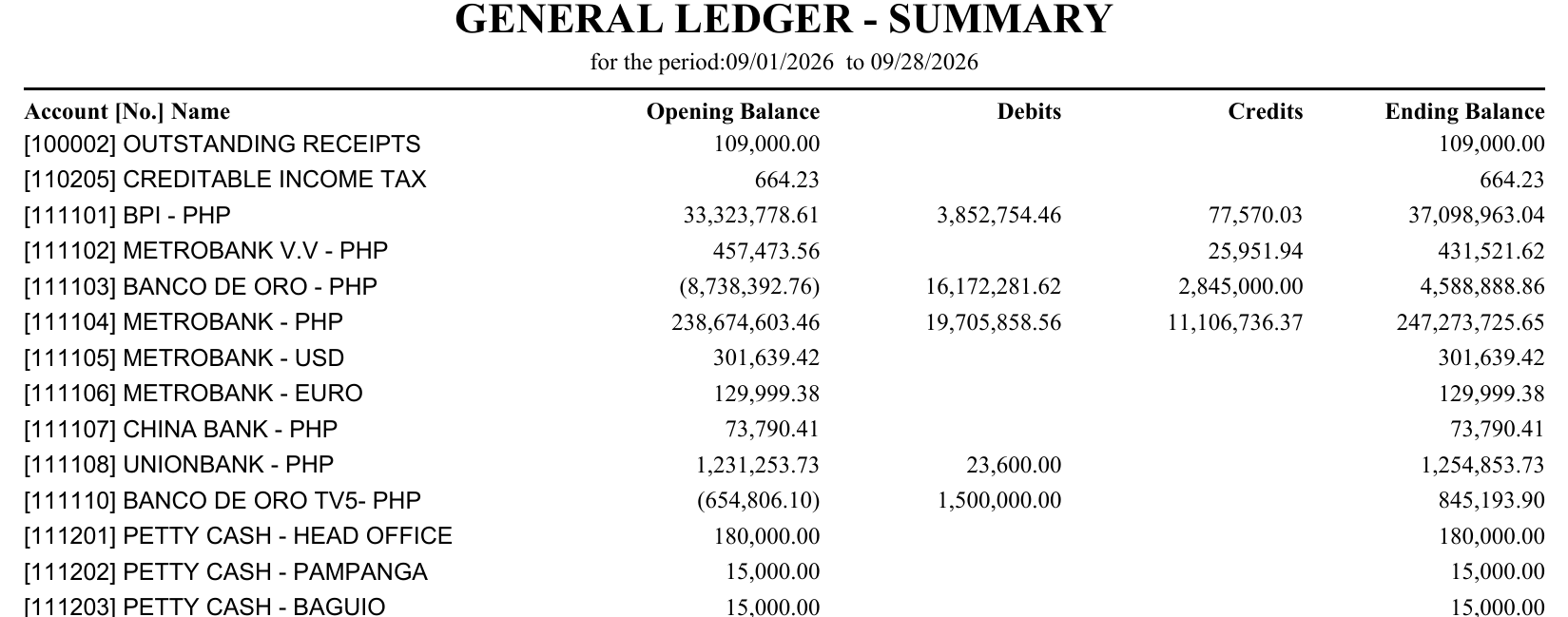
- Credit balances print in parentheses, e.g. (8,738,392.76).
Every account is included, so the opening balances of all accounts add up to 0.00, and so do the ending balances. The Summary's grand totals show this on every run: if they are not zero, something is missing.
General Ledger - Summary
One line per account, in account-code order. An account appears when it has an opening balance or activity in the period.
General Ledger - Detailed
For each account, in account-code order: an OPENING BALANCE line, then every posted line (date, entry number, journal, partner, description, debit, credit, running balance), then a TOTAL / ENDING BALANCE line.
General Journal
Lists only the entries posted in the Miscellaneous Operations (MISC) journal: adjustments, accruals, withholding entries (CWT on INV-…), fund transfers and bank charges booked as journal entries. Bank and cash payments are in the cash books instead; exchange-difference entries and the opening-balance entry are left out.
Columns: Date, Reference, Description, Acct. No., Account Name, Debit, Credit, with debit and credit totals at the end.
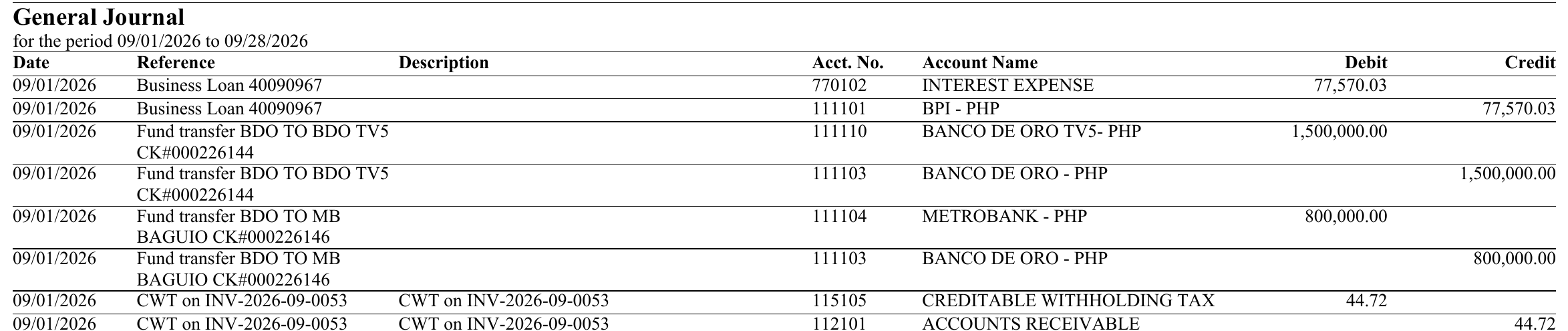
Some bank movements, such as fund transfers and loan interest charged by the bank, are posted as Miscellaneous entries instead of in a bank journal. They appear in the General Journal, not in the cash books, so no transaction is in two books.
Cash Receipts Book and Cash Disbursements Book
Both books take their entries from the bank and cash journals:
- Cash Receipts Book — every posted entry where a bank or cash account is debited (money in).
- Cash Disbursements Book — every posted entry where a bank or cash account is credited (money out).
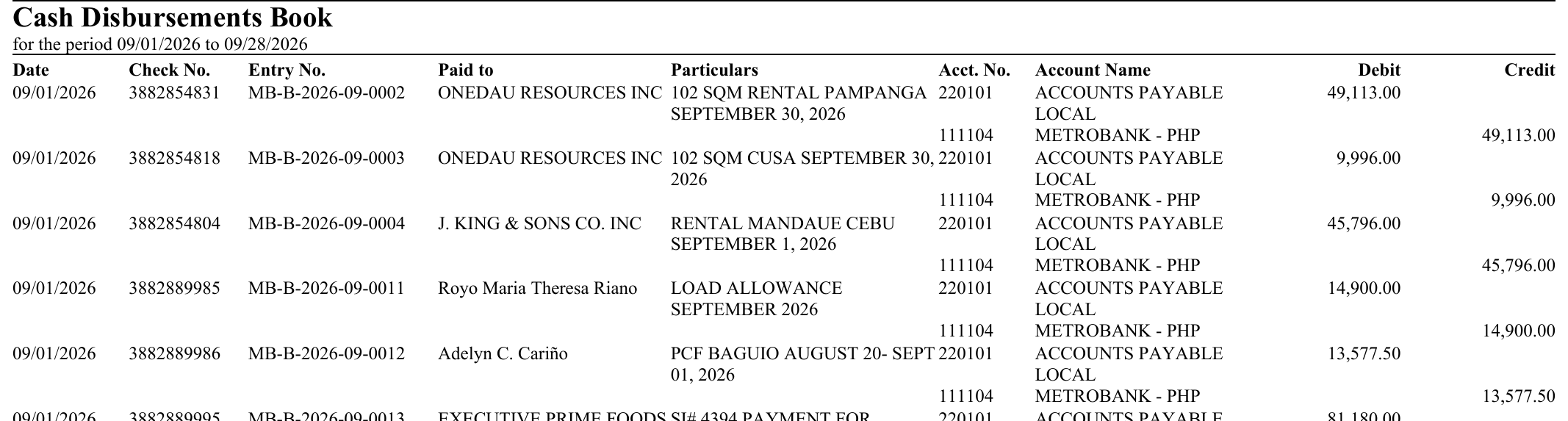
Each entry is shown with all of its lines, so it balances on its own (e.g. Dr Accounts Payable / Cr Metrobank). A fund transfer between our own bank accounts appears in both books: money in for the receiving bank, money out for the sending one.
Columns (landscape): Date, CR No. / Check No., Entry No., Received from / Paid to, Particulars (the payment memo), Acct. No., Account Name, Debit, Credit. The entry's details print on its first line only, in date order.
Receipts are grouped by branch
The Cash Receipts Book is grouped by branch (warehouse), with a subtotal per branch; the branches are listed in the viewer's group tree. A receipt takes the branch of the invoice it paid (the sales order's warehouse). A receipt that paid no invoice uses the default warehouse of the person who recorded it.
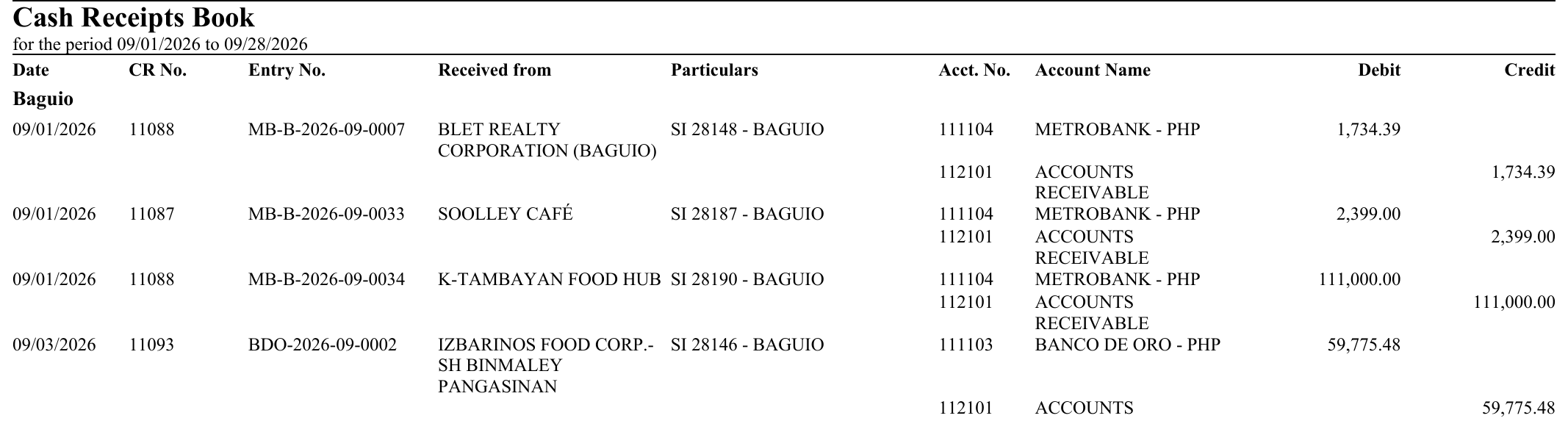
The CR No. column is the Customer Receipt number entered in Register Payment.
Disbursements are one list
Head office records every disbursement and vendor bills carry no branch, so the Cash Disbursements Book is a single list. Its Check No. is the payment's check number, or its Cheque Reference when there is none.
Reference
| Report | Menu action | i-net file |
|---|---|---|
| General Ledger - Summary | kvb_accounting.gl_summary_action | inet/blu/gl_summary.rpt |
| General Ledger - Detailed | kvb_accounting.gl_detailed_action | inet/blu/gl_detailed.rpt |
| General Journal | kvb_accounting.action_gj | inet/blu/gj.rpt |
| Cash Receipts Book | kvb_accounting.action_crb1 | inet/blu/crb.rpt |
| Disbursements Book | kvb_accounting.action_cdb1 | inet/blu/cdb.rpt |
The period dialog is kvb.date.range (common/kvb_accounting/wizard/date_range.py); the menu is in common/kvb_accounting/views/kvb_accounting_menus.xml. The report server allows up to 1,000,000 lines per report.