Delivery Accountability
When a delivery comes back short, over, or with the wrong items, the first question is always the same: who handled it? Until now Odoo could not answer that. The picking list is printed before anyone knows who will pick it, the loader is never written down anywhere, and the only trace of who validated a delivery is "last person who edited the record" — which changes every time anybody touches it.
This page covers recording the people behind each delivery, so the question stops being "who handled this?" and becomes "which stage went wrong?"
Three names are now kept against every Delivery Receipt:
| Recorded | Who fills it | When |
|---|---|---|
| Picked By | Tawny / Alvin / Ronald / Venancio | After the pick, once it is known who actually did it |
| Loaded By | Tawny / Alvin / Ronald / Venancio | After the goods go onto the vehicle |
| Validated By | Nobody — Odoo stamps it | Automatically, the moment the DR is validated |
Your picking-list-to-DR flow stays exactly as it is today. Nothing is blocked, nothing waits, and no delivery behaves differently. These fields only record — they never stop you from validating.
Step 1 — Set up your Delivery Staff
Pickers, loaders, drivers and pahinante are kept in one short list. Go to Inventory → Configuration → Delivery Staff.
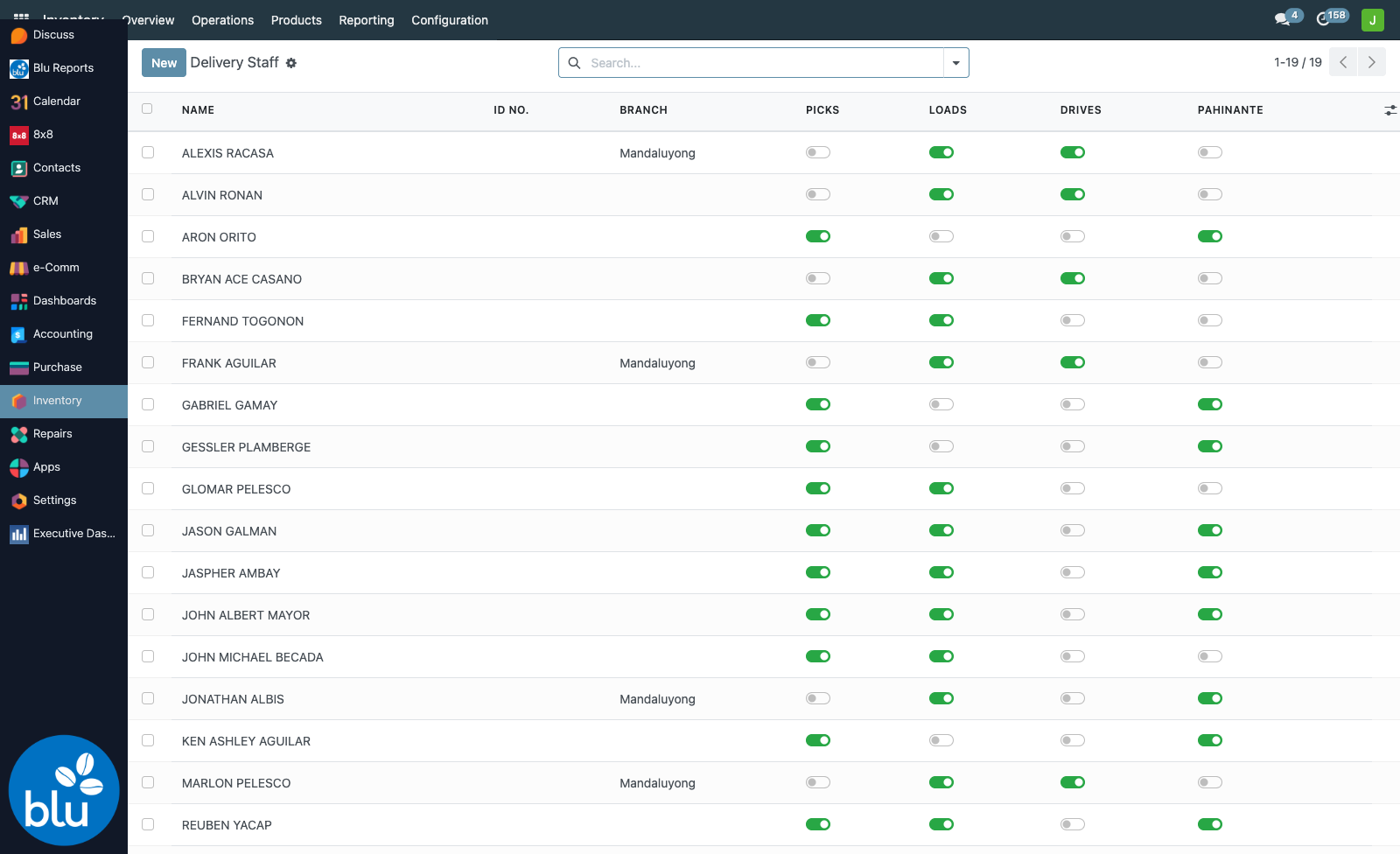
Each person has four toggles. Tick only what they actually do:
- Picks — appears in the Picked By list on a delivery
- Loads — appears in the Loaded By list
- Drives / Pahinante — appear in the Driver and Pahinante lists on a Trip Ticket
The trip ticket's Checker can be anyone on this list, whatever their toggles.
Ticking the right boxes keeps each dropdown short: someone who only drives never clutters the picker list.
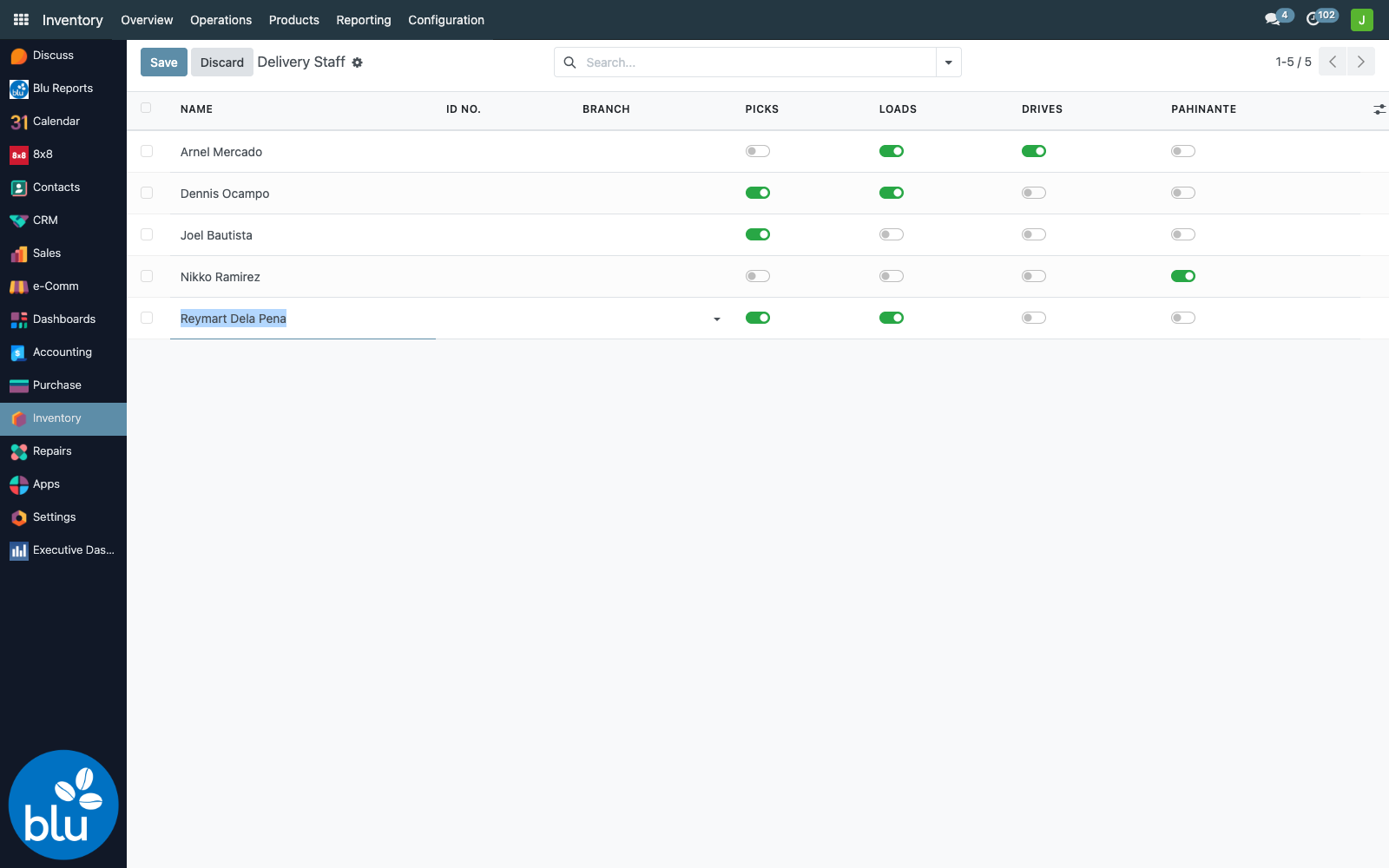
Branch is optional. Fill it in if a person only ever works out of one warehouse; leave it empty for someone who moves between branches.
This list is set up once and then barely touched. If a new picker joins, add them here first — otherwise their name will not be available when you go to record a delivery.
Step 2 — Record who picked and who loaded
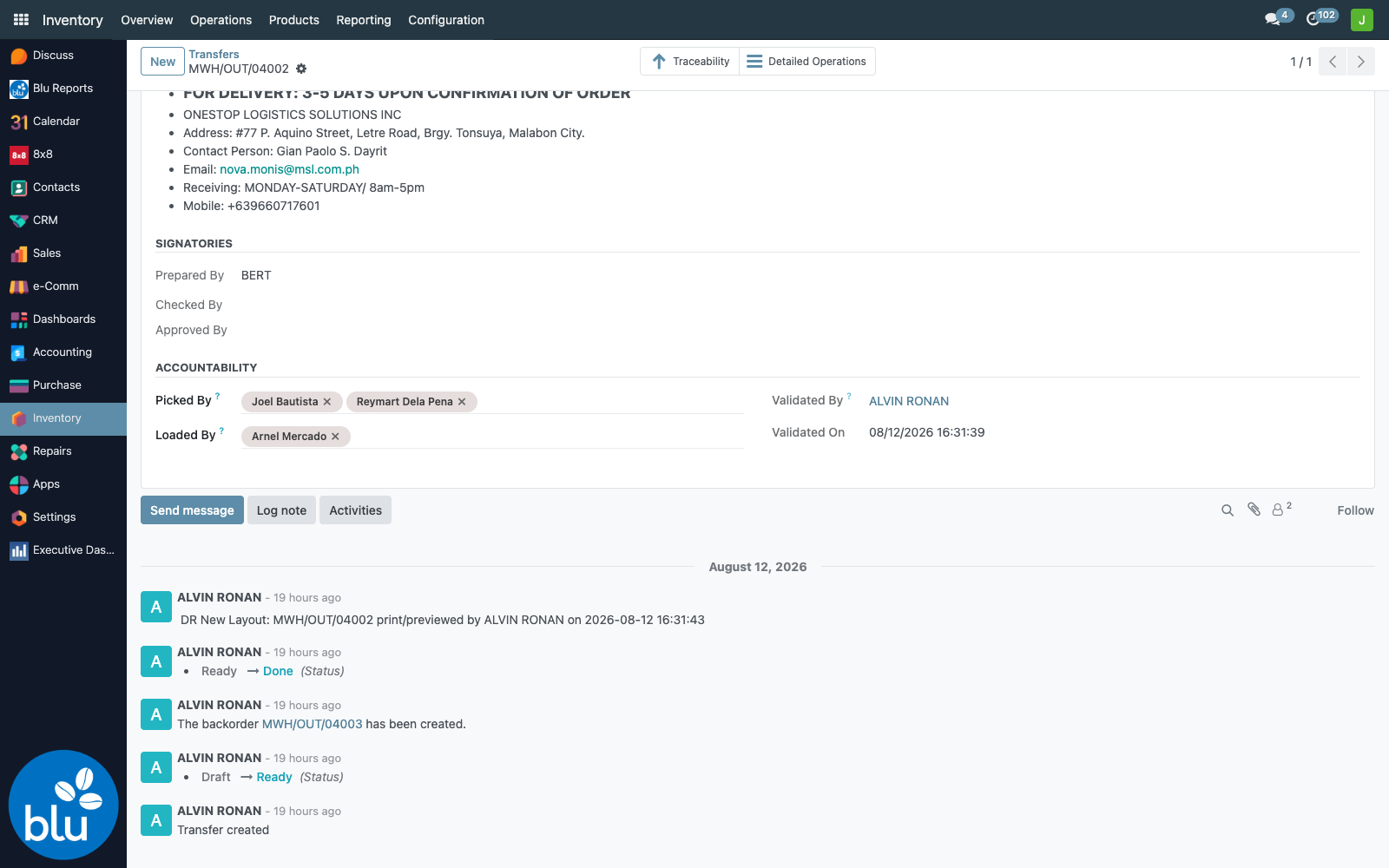
Open any Delivery Receipt and go to the Operations tab. Under the Signatories you will find the new Accountability section:
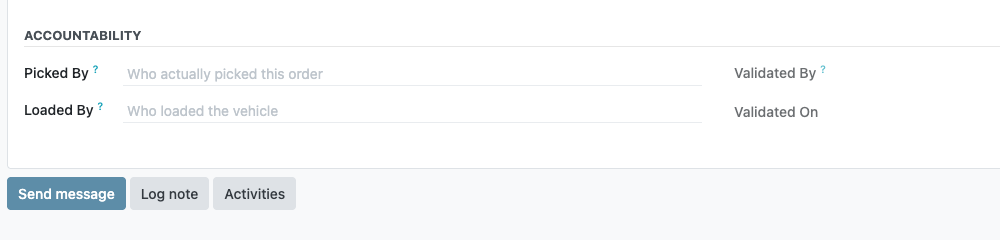
Click Picked By, start typing a name, and choose from the list. You can add more than one person — if two people picked the order together, put them both in. Do the same for Loaded By, then save.
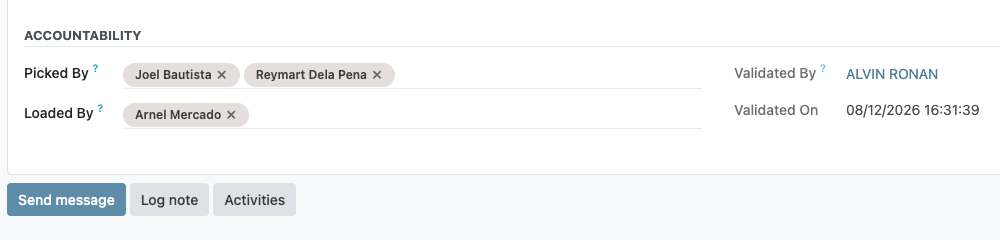
This is the important part. The picking list is printed before anyone knows who will pick it, so you are not expected to know the names up front. Come back to the DR afterwards — even once it is already Done — and record them then. These two fields stay editable when everything else on the delivery has locked.
Validated By is automatic
You never type this one. The moment somebody clicks Validate on a delivery, Odoo stamps their name and the exact time into Validated By and Validated On, and it never changes afterwards.
This is deliberate. Odoo already tracks a "last updated by" on every record, but that is whoever touched the record most recently — print a report or add a note and it changes. Validated By is a permanent record of who released the goods.
Every change is logged
You do not need to add a log note by hand. Both fields are tracked, so each edit is written into the delivery's message history automatically, with who changed it and when:
Finding deliveries that are still missing a name
In the Transfers list, open the Filters menu. Two new filters are waiting there:
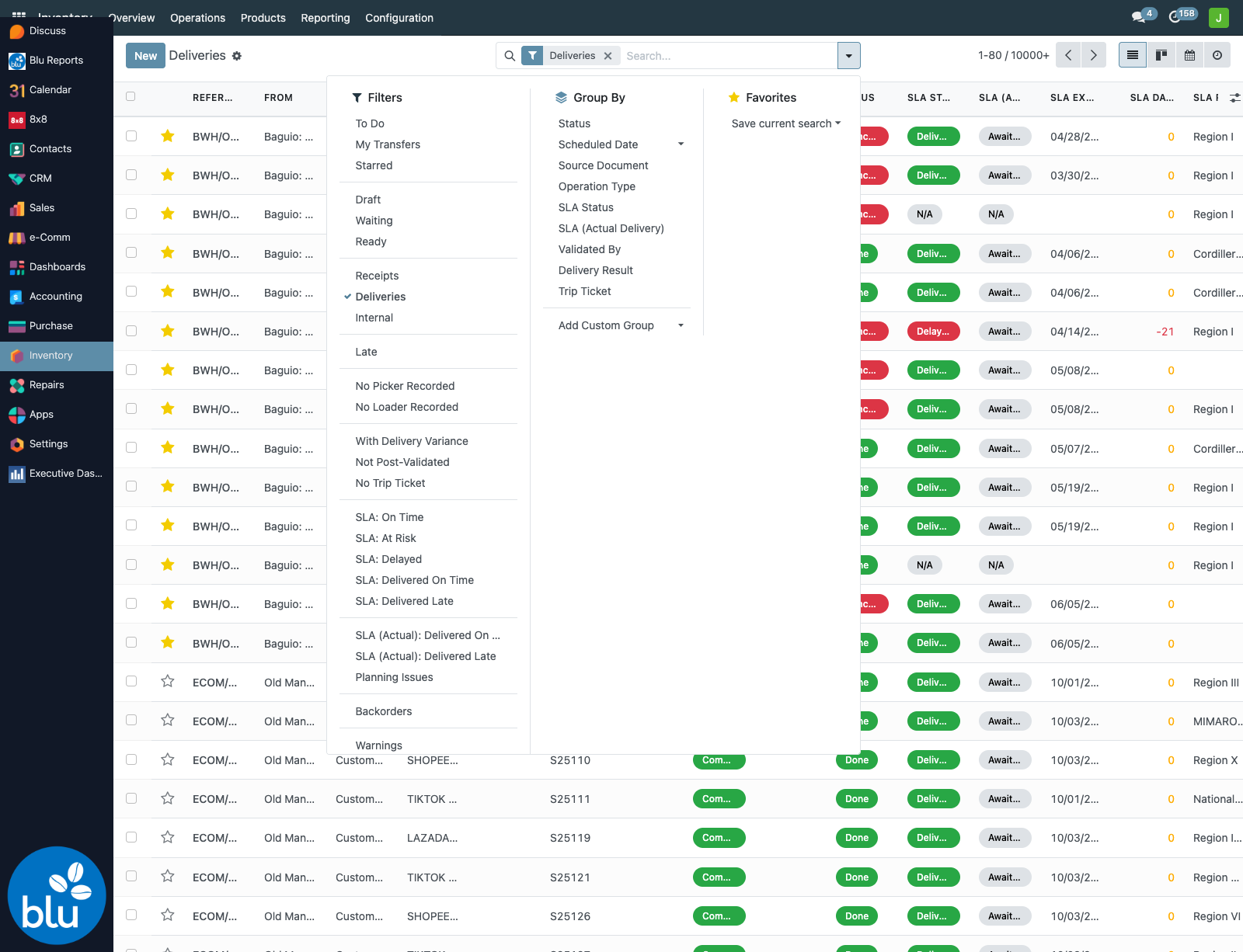
- No Picker Recorded — deliveries where nobody has been named yet
- No Loader Recorded — same, for the loading step
There is also a Validated By grouping under Group By, which answers "how many deliveries did each person release this month?" in one click.
The filters just below them — With Delivery Variance, Not Post-Validated and No Trip Ticket — cover the other end of the chain: what happened after the truck left. See Delivery Orders — SLA at a Glance.
Every delivery made before this feature went live has no picker recorded, so on its own the filter returns tens of thousands of old records. Add a date filter — or use the Scheduled Date grouping — to narrow it to the period you actually care about.
Who is allowed to edit these fields
Editing is limited to the Delivery Accountability Encoders group, plus Inventory Administrators. Everyone else can see the names but cannot change them — which is the point of an audit trail.
Members are set in Settings → Users on each person's record. In practice this is the DR validators (Tawny, Alvin, the branch leads) and the post-validation team (Venancio, Ronald).
If something is not working
The Accountability section is not on the form. It only appears on outgoing Delivery Receipts. Receipts from suppliers and internal transfers do not show it.
The fields are greyed out. You are not in the Delivery Accountability Encoders group. Ask your administrator to add you.
A name is missing from the dropdown. Either the person has not been added to Delivery Staff yet, or their Picks / Loads toggle is off.
You cannot open a delivery at all. That is a separate warehouse-access matter, not this feature — your user account needs the branch added to its allowed warehouses.
After the delivery
Picker, loader and validator cover the warehouse side. What happens on the road is recorded on the Trip Ticket: driver, pahinante, checker and truck are set once per trip, the sheet is printed from Odoo, and when the trip comes back each DR gets its actual delivery date and result. Those then show on the Delivery Orders list next to the names on this page, so one list answers both who handled it? and what did the client receive?