Inventory with COA / Journal
The item masterfile with the GL accounts and inventory journal behind each item, in one list. Accounting uses it to tie inventory to the ledger and to find items whose accounts are missing.
Before this report there was no single export for it: the accounts live on the product category (and sometimes on the product), so it meant exporting products and categories separately and joining them by hand.
Opening it
Go to Blu Reports → Inventory → Inventory with COA / Journal. It opens on Storable Products.
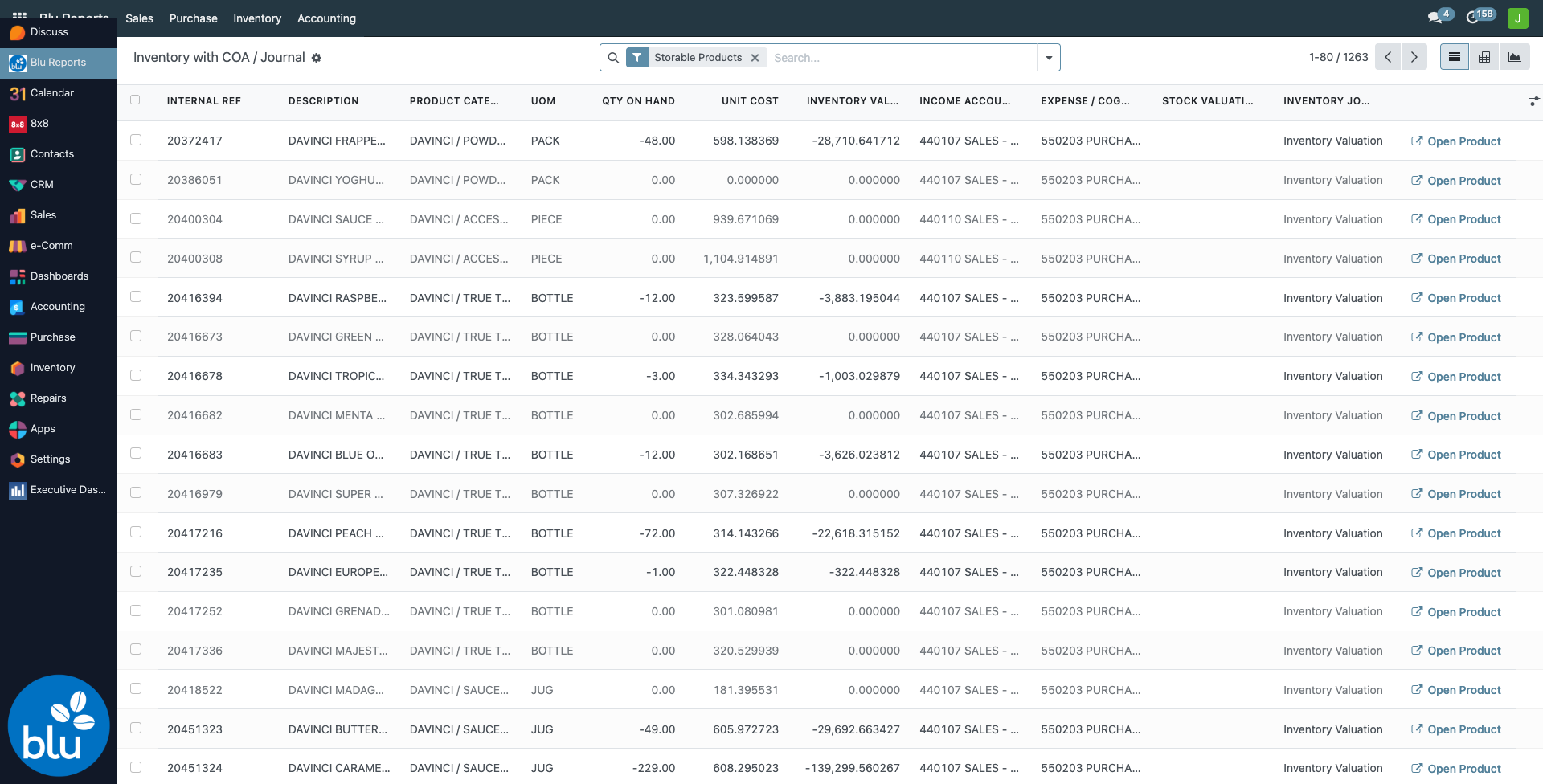
One row per item:
| Column | What it is |
|---|---|
| Internal Ref, Description, Product Category, UoM | The item |
| Qty On Hand | Stock in internal locations under an active warehouse, the same figure as the product's On Hand |
| Unit Cost, Inventory Value | The product's cost and Qty On Hand × Unit Cost |
| Income Account | The product's own income account, or its category's if the product has none |
| Expense / COGS Account | Same rule: product first, then category |
| Stock Valuation Account | From the category |
| Inventory Journal | From the category |
| Open Product | Opens the product form |
More columns are in the column picker (the sliders icon at the far right): Barcode, Product Type, Qty Reserved, Valuation Layer Value, Stock Input Account, Stock Output Account, Costing Method, Inventory Valuation.
Items with nothing on hand are greyed out.
Filters and grouping
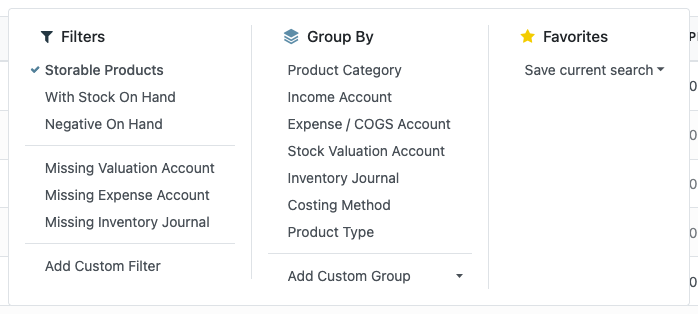
| Filter | Shows |
|---|---|
| Storable Products | On by default |
| With Stock On Hand / Negative On Hand | Items with stock, or below zero |
| Missing Valuation Account / Missing Expense Account / Missing Inventory Journal | The clean-up lists: items whose category (or product) has no such account |
Group By any account, the journal, the category, the costing method or the product type. Grouped rows show the subtotal of quantity and value.
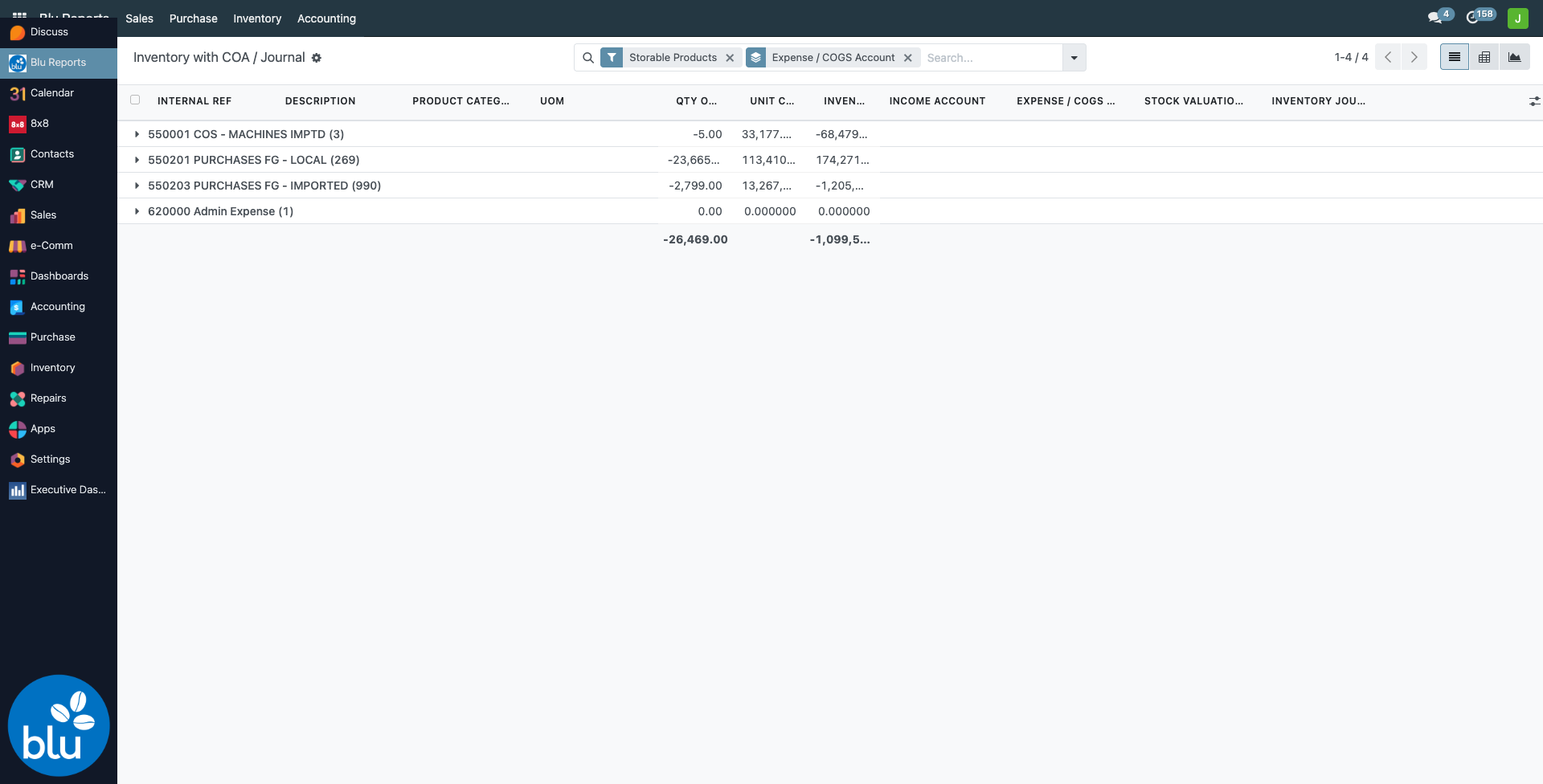
The pivot and graph views (icons at the top right) give the inventory value by stock valuation account and category.
Export to Excel
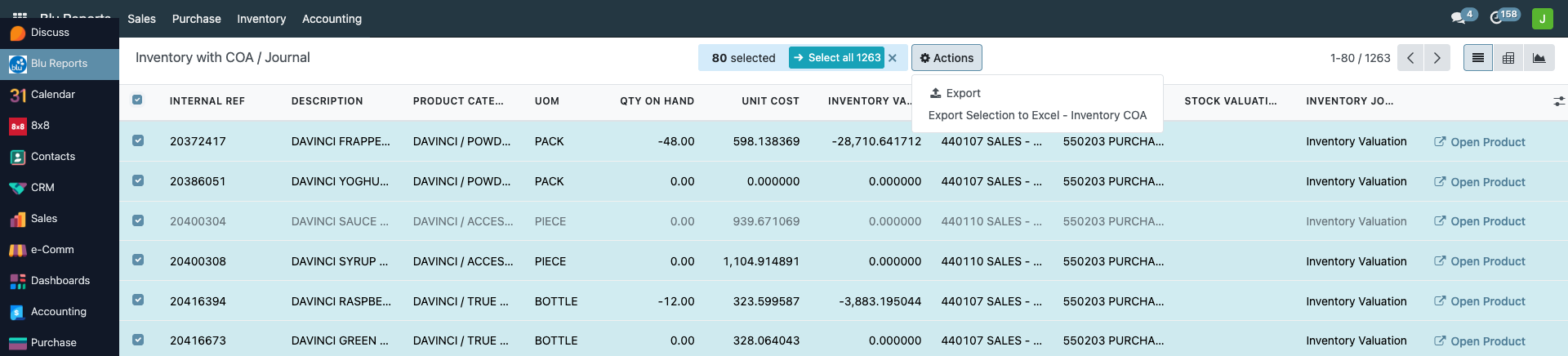
Select the rows (the top checkbox, then Select all for every row), open Actions and choose Export Selection to Excel - Inventory COA.
Accounts are set on the product category: Inventory → Configuration → Product Categories, Account Properties section. Income and expense can also be set on the product itself (Accounting tab), which wins over the category. After the fix, reopen the report — it reads the current settings, there is nothing to refresh.
Blu Coffee's categories use periodic inventory valuation, so Odoo does not post a journal entry when stock moves. The Stock Valuation, Stock Input and Stock Output accounts only matter for automated valuation; that is why many show blank.
Reference
| Concern | File |
|---|---|
| Report (SQL view), Excel export, Open Product | bc17/blu_reports/models/inventory_account_report.py |
| List, pivot, graph, filters, menu, export action | bc17/blu_reports/views/inventory_account_report_views.xml |