Item Requests Report
A line-level report of every Item Request: one row per requested item, with how much was requested, how much was actually served out of stock, and what is still open. Use it to see what each department took out for events, demos, training and R&D, and to chase requests that were approved but never released.
Opening it
Go to Blu Reports → Inventory → Item Requests. It opens on This Year with Hide Cancelled on.
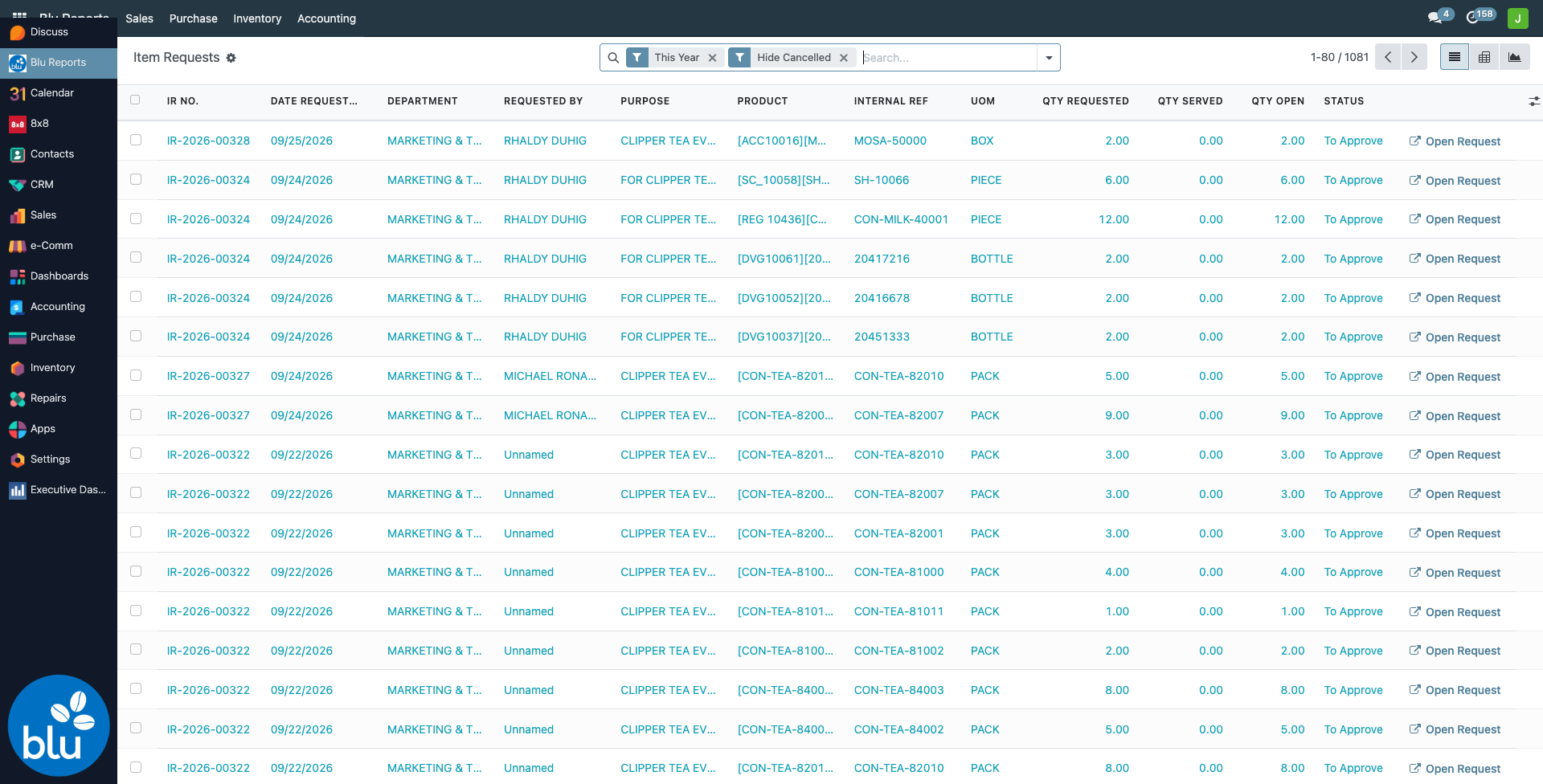
| Column | What it is |
|---|---|
| IR No. | The request number |
| Date Requested | The request's Date Requested. The report's date filters and monthly grouping use this date |
| Department, Requested By, Purpose | From the request header |
| Product, Internal Ref, UoM | The requested item |
| Qty Requested | The quantity on the request line |
| Qty Served | What actually left stock when the request was confirmed (Confirm & Scrap) |
| Qty Open | Requested minus Served |
| Status | Draft, To Approve, Approved, Done or Cancelled |
| Open Request | Opens the Item Request form |
Optional columns (column picker at the far right): Date Needed, Source Location, Destination Location, Scrap Order, Served Lot/Serial.
The three quantity columns are totalled at the bottom of the list and on each group.
A Done line with an open quantity was not fully served: the source location did not have enough stock when Confirm & Scrap was clicked. Filter Done + Has Open Qty to list them, then tell the Inventory admin.
Filters and grouping
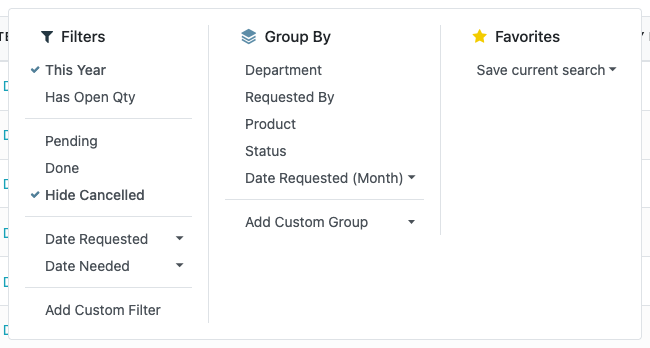
| Filter | Shows |
|---|---|
| This Year | Requested from January 1 of this year (on by default) |
| Has Open Qty | Lines not yet fully served |
| Pending | Draft, To Approve and Approved |
| Done | Confirmed requests |
| Hide Cancelled | On by default |
| Date Requested / Date Needed | Pick a month, quarter or year |
Search by IR No., Product, Requested By, Department, Purpose or Internal Ref. Group by Department, Requested By, Product, Status or Date Requested (Month).
Pivot and graph
The pivot view (grid icon, top right) opens with departments down the side and months across, showing requested and served quantities.
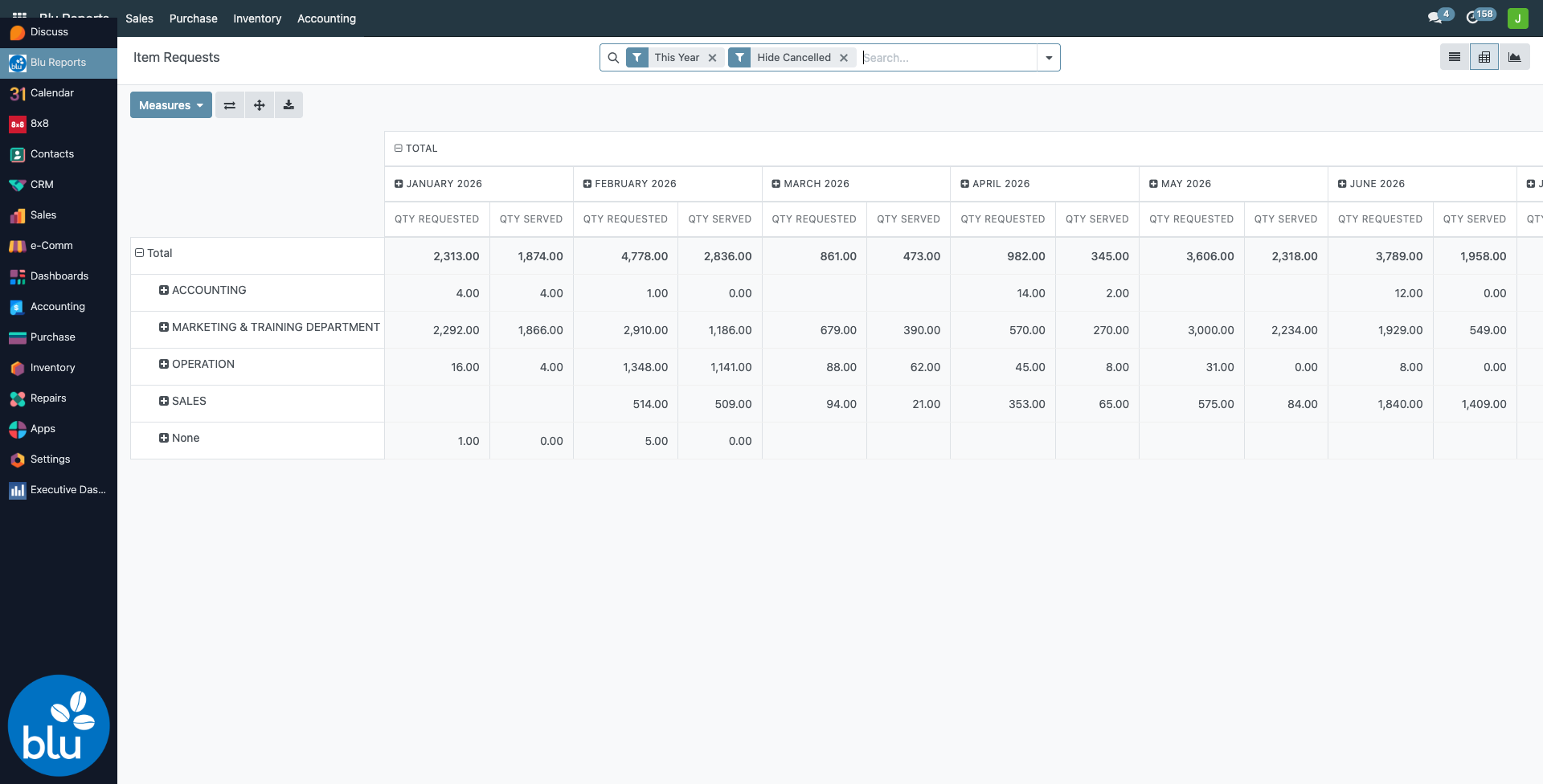
The graph view shows requested quantity per month.
Print and export
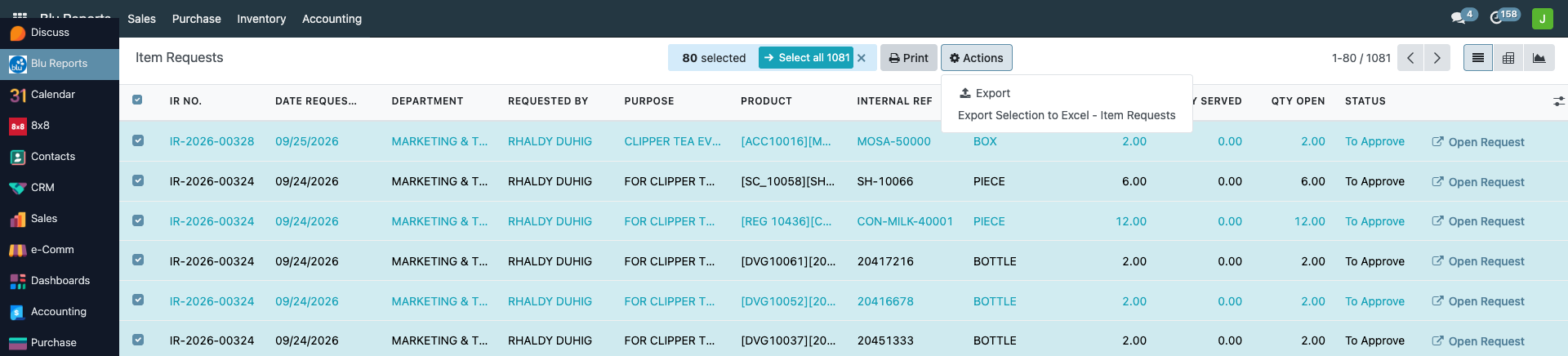
Select rows with the checkboxes (the top checkbox selects the page; Select all takes every row in the filter). Then:
- Print → Item Requests (List) — a PDF table of the selected lines: IR No., date, department, requester, product, UoM, requested, served, open and status.
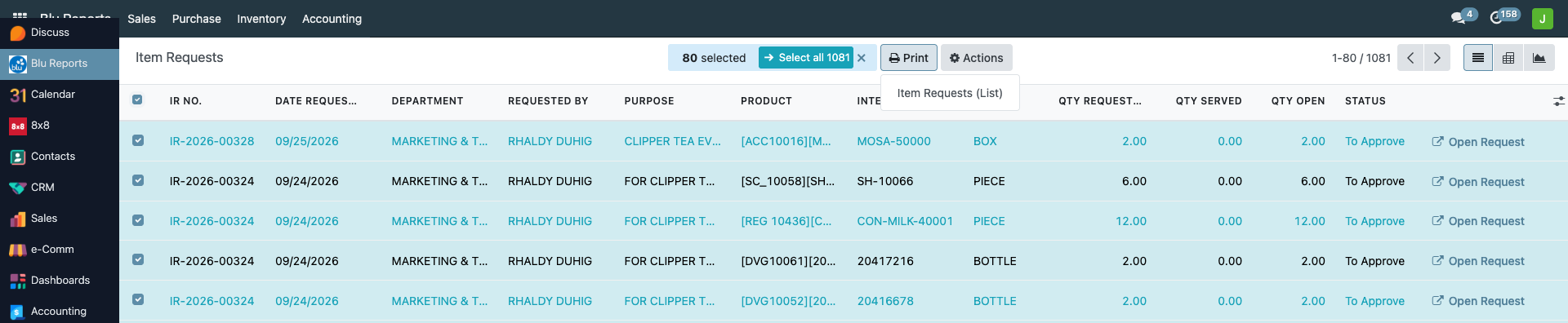
- Actions → Export Selection to Excel - Item Requests — the same lines as an Excel file.
Not the same as Item Request Analysis
Inventory → Operations → Adjustments → Item Request Analysis is a separate dashboard with KPI cards and charts (including cost). This report is the row-by-row list to filter, check and export.
Reference
| Concern | File |
|---|---|
| Report (SQL view over request lines and their scraps), Excel export, Open Request | bc17/blu_reports/models/item_request_report.py |
| List, pivot, graph, filters, menu, export action, PDF list | bc17/blu_reports/views/item_request_report_views.xml |