Receipt Notifications — Partial & Full
When a vendor delivery is validated, Blu Coffee's Inventory Team no longer has to watch the Receipts list to know what landed. The moment an incoming PO receipt is validated, bc17 checks whether the purchase order is now fully or partially received and pings every Inventory Team member: a To-Do activity in their Odoo inbox and an email — plus an SMS and a Viber message when the order is fully received.
It is the receiving-side counterpart of the Auto-RFQ feature, and reuses the same 8x8 messaging plumbing.
| Module | Provides |
|---|---|
bc17/blu_stock/ | button_validate hook on stock.picking, partial/full classification, receipt_notified idempotency flag |
bc17/blu_purchase/ | _notify_receipt helpers (activity / email / SMS / Viber), receipt-notification mail.template |
bc17/blu_base/ | Inventory Team security group |
bc17/blu_8x8/ | Viber + SMS delivery through the 8x8 chat-apps API |
Lifecycle
Notified is a one-shot state per receipt: each picking carries a receipt_notified boolean, set on first notification. Re-validating a receipt never re-sends. A backorder is a brand-new picking, so its own validation notifies independently.
Who gets notified
Every member of the Inventory Team security group (bc17.blu_inventory_team_group).
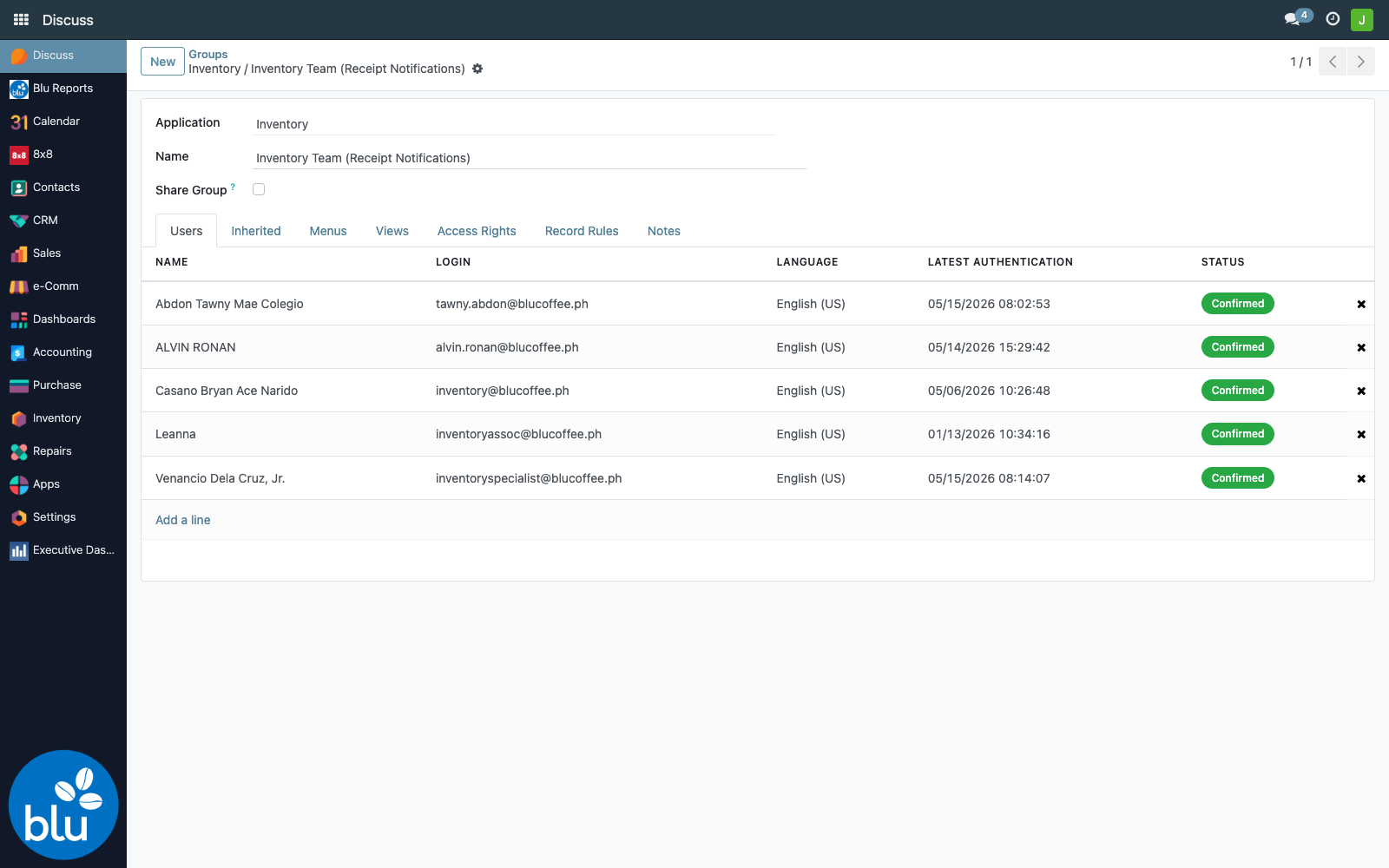
Settings → Users & Companies → Groups → Inventory Team (Receipt Notifications) — add or remove members to control who is alerted. The group ships seeded with the receiving staff; see Configuration for how the seeding behaves on upgrade.
What triggers a notification
The hook is Odoo's standard Validate button on a receipt. After validation, bc17 fires a notification only when all of the following hold:
- the picking is an incoming transfer (a receipt — deliveries and internal transfers are ignored);
- it is linked to a purchase order;
- it has reached the Done state;
- it has not been notified before (
receipt_notifiedis still unset).
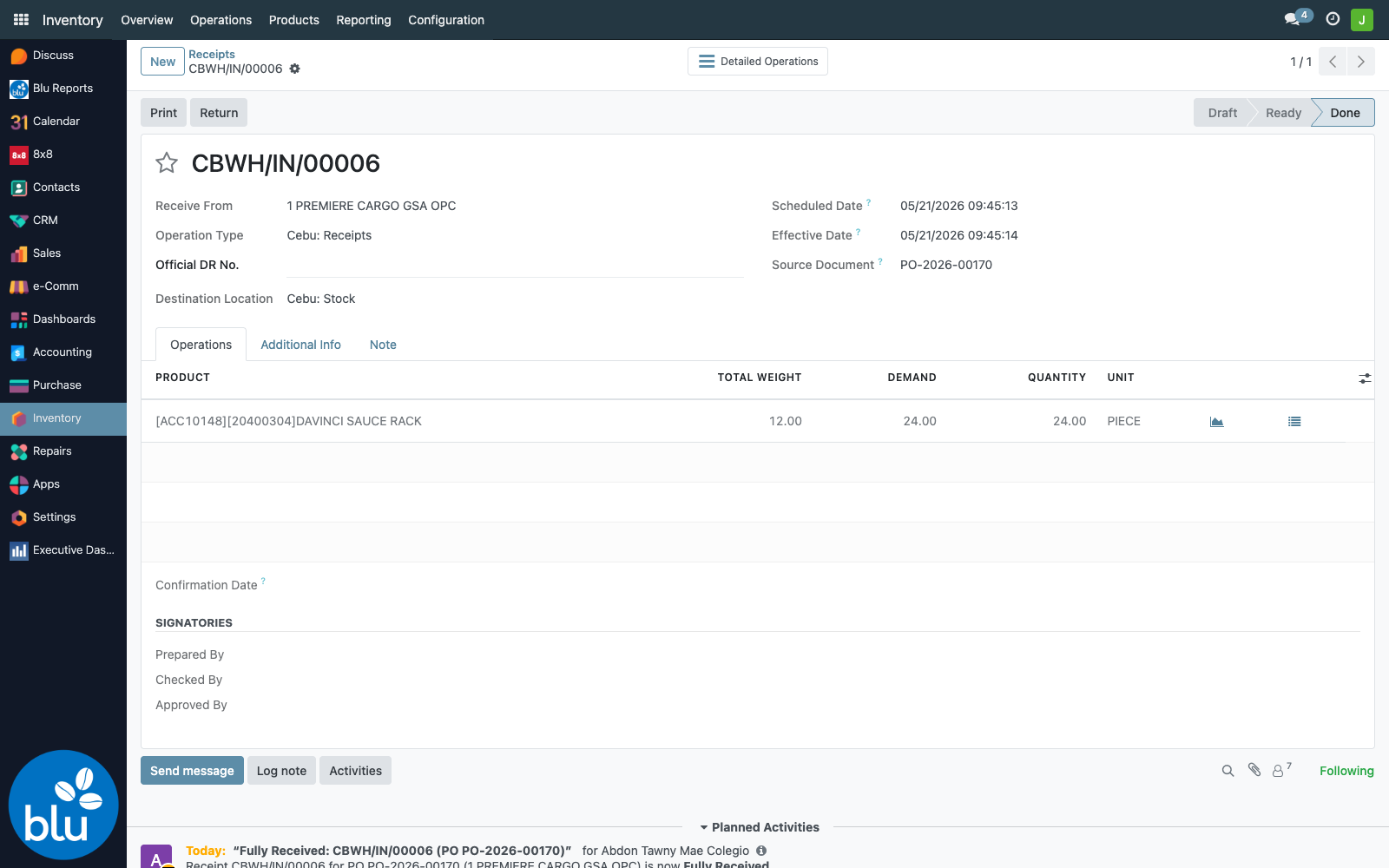
bc17 then compares each PO line's received quantity against the ordered quantity:
| Result | Condition | Channels fired |
|---|---|---|
| Fully Received | every PO line has qty_received ≥ ordered | Activity + Email + SMS + Viber |
| Partially Received | at least one PO line still has open quantity | Activity + Email |
The check is at the purchase-order level, not the single picking — so when the last backorder of a multi-delivery PO is validated, the order tips over to Fully Received and the SMS/Viber alert goes out.
What the Inventory Team sees
1. A To-Do activity on the receipt
One To-Do activity per Inventory Team member, on the receipt's chatter and in each member's Activities inbox:
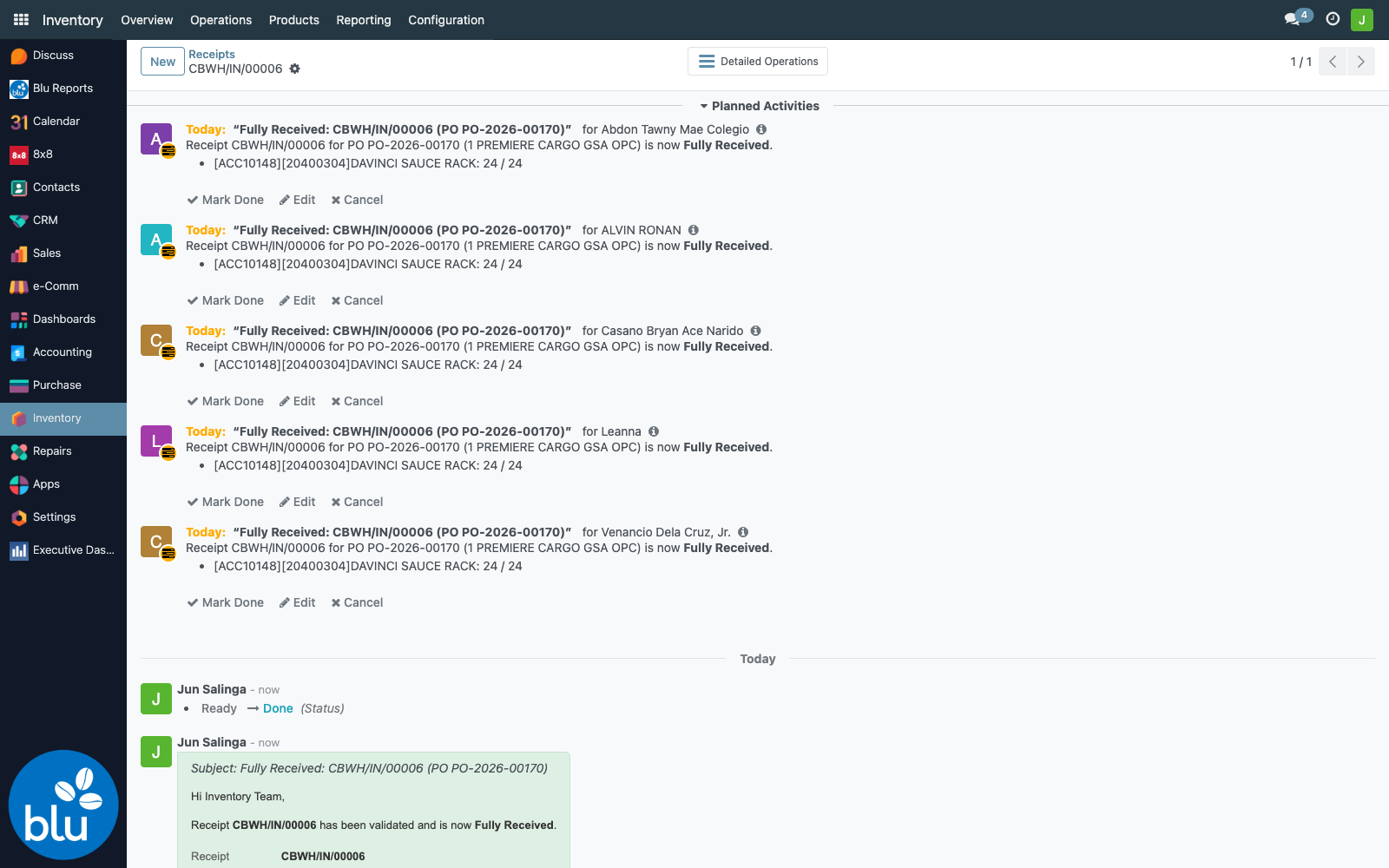
Summary: Fully Received: <Receipt> (PO <PO ref>) (or Partially Received: …). The note lists every PO line with its received / ordered quantities.
2. An email
Two emails actually go out per receipt — the same pattern as Auto-RFQ:
- Activity assignment (one per member) — Odoo's built-in "you have been assigned an activity" notification.
- Receipt-notification email (one batched email to all members with a valid address) — uses the
bc17.mail_template_receipt_notificationtemplate. The subject carries the status (Fully Received: …/Partially Received: …) and the body shows the receipt, PO, vendor, validation time, and a per-linereceived / orderedtable.
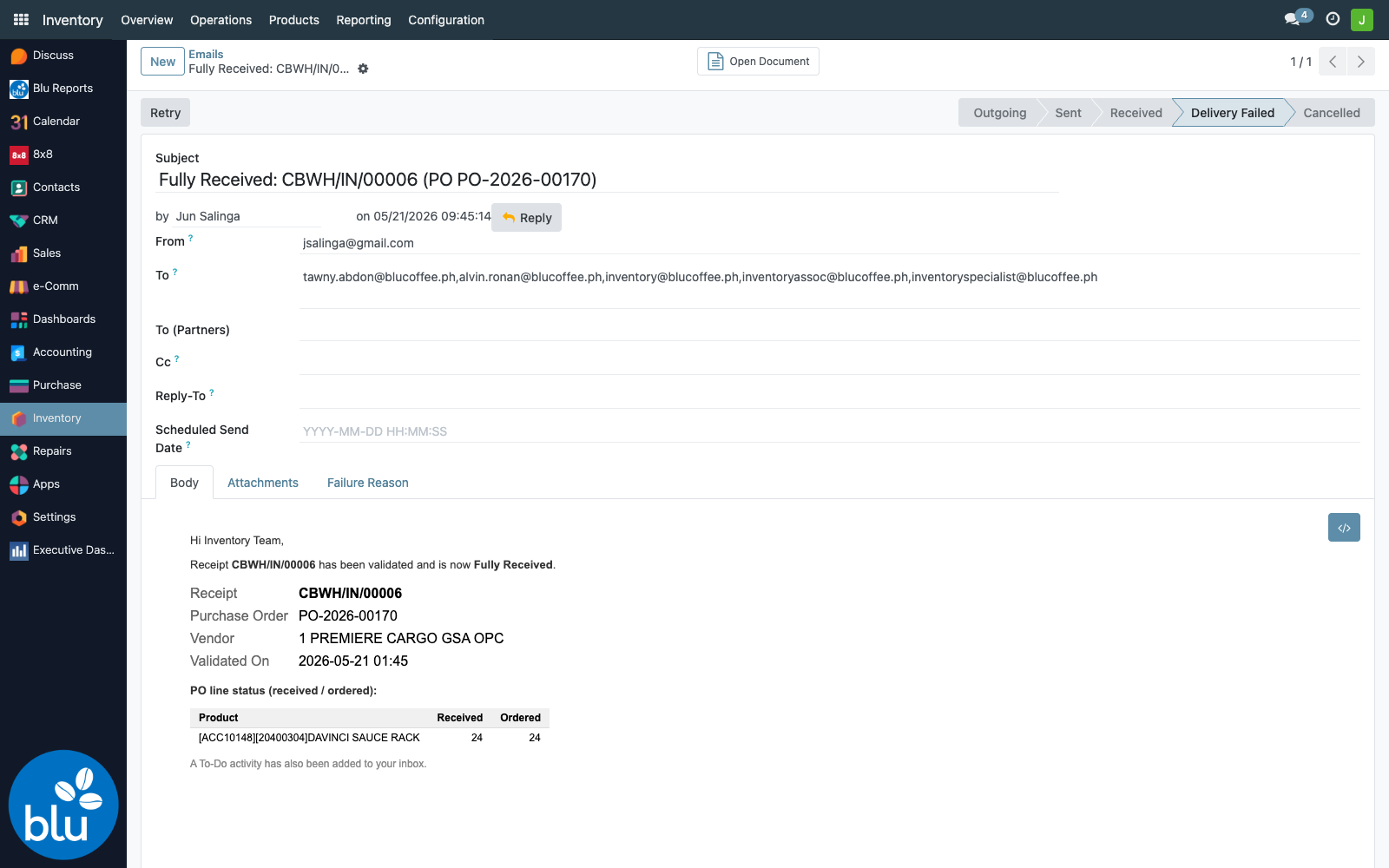
Recipients whose email is blank or set to the "." placeholder (a legacy bc17 convention) are filtered out before sending.
3. SMS + Viber via 8x8 — full receipts only
When a PO becomes fully received, an SMS and a Viber message also go out — one of each per recipient. The two channels carry different bodies:
SMS stays a compact one-liner — long SMS splits into multiple paid 8x8 segments, so it's kept short:
CBWH/IN/00006: PO PO-2026-00170 from 1 PREMIERE CARGO GSA OPC is now FULLY RECEIVED (1 line(s)).
Viber carries the full breakdown — receipt, PO, vendor, validation time, and the per-line received / ordered figures — since Viber has no per-segment cost:
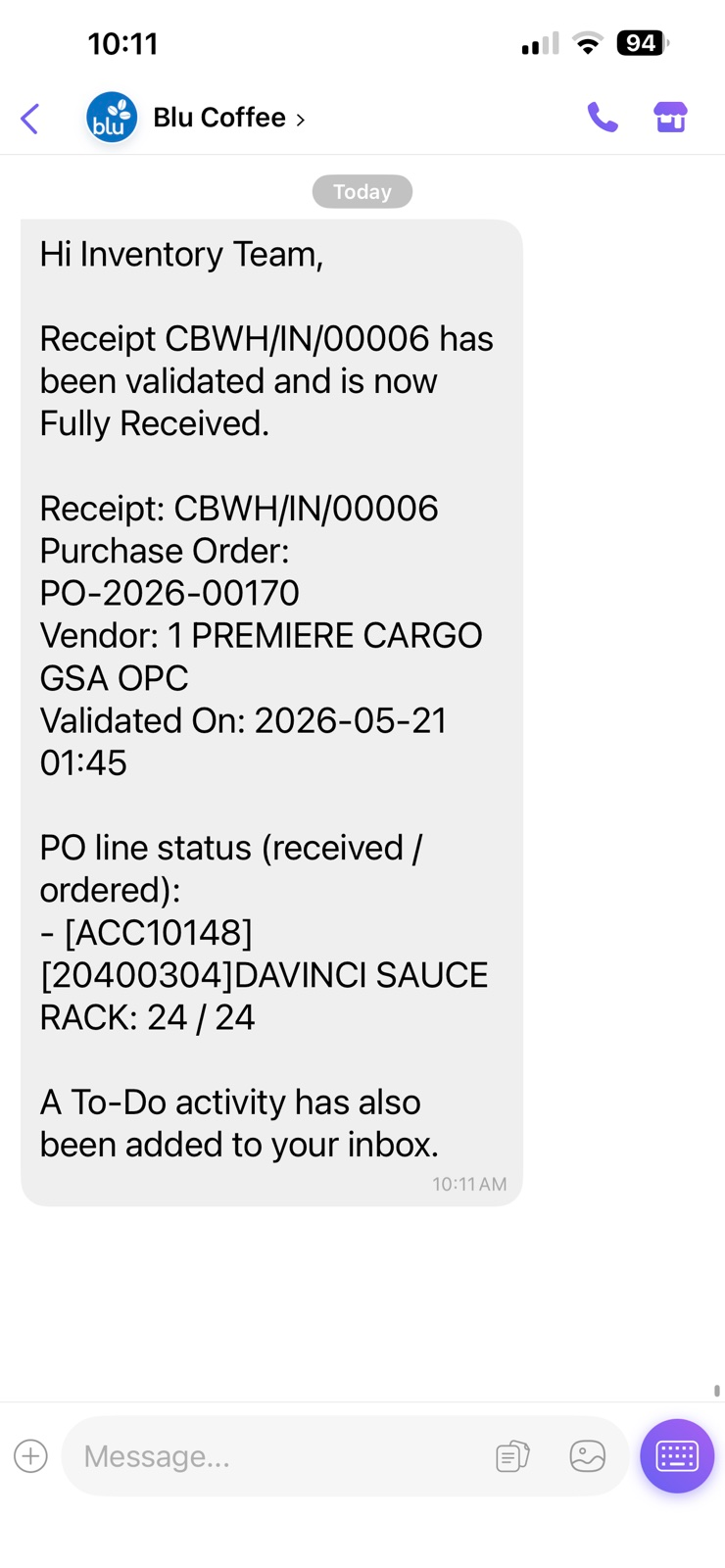
Partial receipts deliberately skip SMS/Viber — receiving happens many times a day, and the mobile-push channels are reserved for the moment an order is closed out.
| Channel | Routed through | bc17 Sender Account | Tracked in |
|---|---|---|---|
| SMS | sms.8x8.com → BluCoffeePH_NOTIF | Blu Intrnal | sms.sms (Settings → Technical → SMS) |
| Viber | chatapps.8x8.com → BluCoffeePH_TwoWayViber_NOTIF | Blu Intrnal | blu.viber.messages (Settings → Technical → Outgoing Viber Messages) |
The number used is partner.mobile (or partner.phone if mobile is blank). Members with neither are skipped — logged, but the rest of the notification still goes out.
Partial receipts and backorders
When a vendor delivers less than ordered, validating the receipt prompts Odoo's standard backorder question. Accepting it closes the current receipt with what arrived and spins off a backorder picking for the balance.
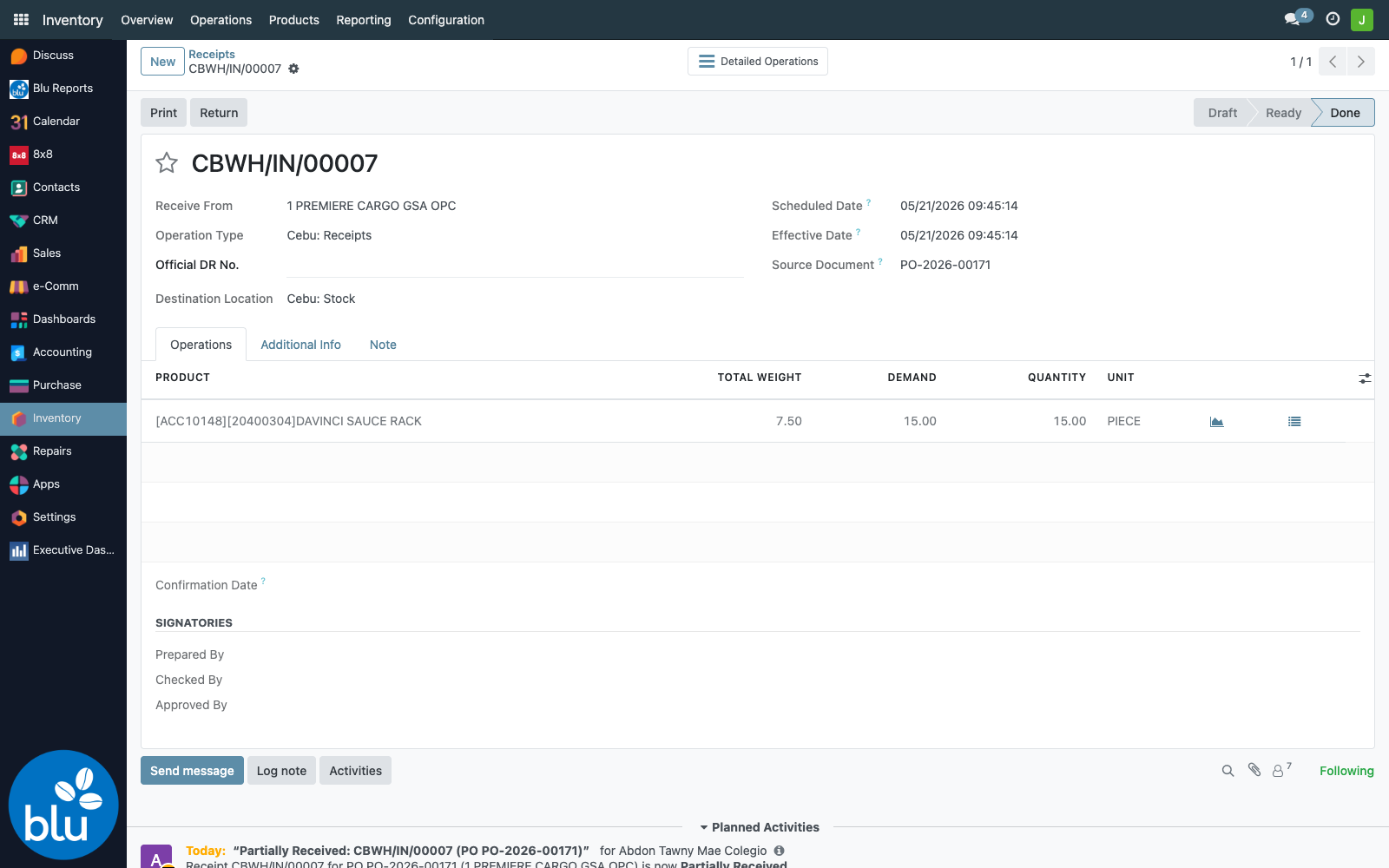
Each step notifies on its own:
- First (partial) receipt validated → Partially Received alert — activity + email, no SMS/Viber.
- Backorder validated later → if it completes the order, Fully Received alert — all four channels.
So a PO delivered in three trips produces two Partially Received alerts and one final Fully Received alert.
The activity, email, and SMS/Viber sends are wrapped separately. If the mail server is down or a member has no mobile number, that one channel is skipped and logged — the others still fire.
Configuration
Who is in the Inventory Team?
Settings → Users & Companies → Groups → Inventory Team (Receipt Notifications) (bc17.blu_inventory_team_group).
The group is seeded once with the receiving staff when the module is first installed or upgraded. After that initial seed it is never overwritten — add or remove members freely in the UI and a later bc17 upgrade will leave your changes intact. (Technically: the seeder only populates the group while it is still empty.)
Are member contacts in order?
Each recipient needs:
- a valid email (not blank, not
.) for the email channel; - a mobile (or phone as fallback) for the SMS and Viber channels.
Open the member under Settings → Users, click through to the partner form, and verify both fields. The server log names exactly which channel was skipped:
Receipt notif: skipping SMS/Viber for inventoryassoc@blucoffee.ph (no mobile/phone)
Where to set the 8x8 API key
Settings → Technical → Parameters → System Parameters → bc17.api_key. Without it the SMS and Viber records are still created but sit in error state.
Troubleshooting
| Symptom | Likely cause |
|---|---|
| Receipt validated but no notification | The picking isn't an incoming type, or has no linked PO (a manual receipt) — both are intentionally skipped |
| No SMS/Viber on a receipt | The PO is only partially received — SMS/Viber fire on full receipts only. Check the PO line received / ordered figures |
| A member got the activity but no email | Their email is blank or set to the . placeholder |
| A member got the email but no SMS/Viber | No mobile/phone on their partner record |
SMS/Viber records sit in error | The bc17.api_key system parameter is missing or wrong |
| Re-validating a receipt sent nothing | Expected — receipt_notified is one-shot per picking |
| A backorder didn't notify | It should — a backorder is a separate picking. Confirm it actually reached Done and is linked to the PO |